
TeraBox Storage Full? 12 Ways to Free Up Space & Manage Your 1TB (2026)
Seeing the "TeraBox storage full" warning when you try to back up your photos is frustrating — especially when you thought 1TB of free cloud storage was more than enough. But here is the good news: most people who hit the limit are wasting gigabytes on duplicates, blurry shots, forgotten downloads and files they will never open again. In this guide, you will learn 12 practical ways to free up space, organize your library, and keep your 1TB working for you in 2026.

1. Check Exactly What Is Eating Your Space
Before deleting anything, open the TeraBox app or web version and check the storage usage breakdown. Photos and videos are almost always the biggest consumers — often 70–80% of the total. Knowing where the space goes is the fastest way to target the biggest wins first.
2. Delete Duplicate and Blurry Photos
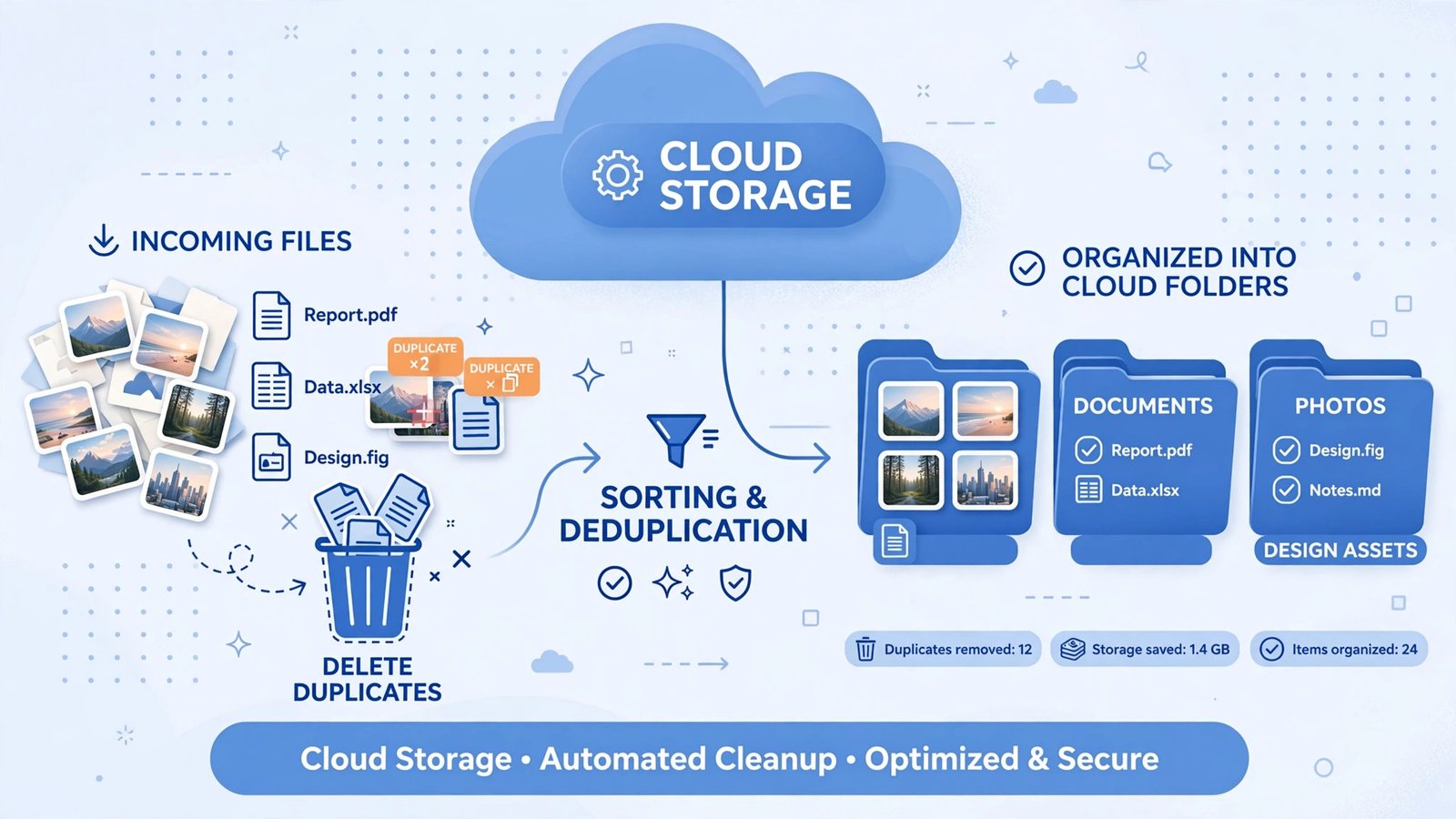
Your camera roll is full of near-identical shots — burst mode photos, "one more take" selfies and blurry screenshots. Scroll through month by month and delete the duplicates. Even a few hundred cleaned-up photos can free several gigabytes, which is often all you need to clear a TeraBox storage full warning.
3. Clear Your Recycle Bin
Deleting files in TeraBox moves them to the recycle bin first, where they keep using your storage until they expire. Open the recycle bin and empty it manually after a cleanup session — this is the step most people forget, and it instantly converts "deleted" files into real free space.
4. Move Large Video Files Off Your Main Storage
Raw video footage and screen recordings are the biggest space hogs of all. Export your large clips, then share them directly from the cloud using our guide on how to share large video files with TeraBox — or move older projects into clearly labeled archive folders so they are easy to find later. For more on video sharing workflows, also see our broader guide on sharing large files with TeraBox.
5. Compress Photos Before Re-Uploading
Screenshots and camera photos can often be compressed by 30–50% with no visible quality loss. Save the compressed copies, delete the originals, and you can shrink a 20GB photo library to under 12GB. If you want cloud backup to handle this automatically, check our article on TeraBox photo backup best practices.
6. Remove Old App Backups and Downloads
App backups, old APK installers, downloaded documents and files you received "for a quick look" pile up silently. Sort your folders by size, largest first, and you will usually find several gigabytes of forgotten downloads you can safely delete.
7. Use Password-Protected Links Instead of Keeping Copies
Many people keep duplicate copies of shared files "just in case" someone asks for them. Instead, keep one copy and share it with a password-protected share link — you can revoke the link anytime, so there is no reason to hoard copies for other people.
8. Turn Off Auto-Backup for Screenshots
Screenshots rarely deserve permanent cloud backup. In the app's backup settings, exclude screenshots and specific folders (like messaging app media) from automatic backup. This single change can stop the slow leak that fills your TeraBox storage full quota month after month. Our mobile app features guide walks through these backup settings in detail.
9. Archive Old Files Into Yearly Folders
Instead of deleting memories you might want someday, create folders like "Archive 2024" and move old projects, school files and event photos there. Your main library stays lean, nothing is lost, and you can always search the archive when you need it.
10. Compare Free vs Premium Before You Upgrade
Still running out of room after cleanup? Upgrading multiplies your space and adds perks like faster downloads, larger upload sizes and a 30-day recycle bin. Read our TeraBox free vs premium comparison to see whether the upgrade is worth it for your usage.

11. Use AI Tools to Find What to Delete Faster
TeraBox's AI features — including AI-powered search and Intelligent Albums — help you surface duplicate photos, similar videos and forgotten files in seconds instead of scrolling through everything manually. Our guide to TeraBox AI features shows exactly how to use them. If you are still deciding between cloud services, our TeraBox vs Google Drive comparison covers how the free storage stacks up.
12. Keep a Monthly Storage Routine
The real cure for a recurring TeraBox storage full warning is a 10-minute monthly habit: check the storage meter, empty the recycle bin, delete duplicates, and archive old folders. Cloud storage only stays "free and unlimited-feeling" if you maintain it — the same is true for TeraBox Mod APK users who want every gigabyte to count.
TeraBox Storage Full: Quick Fix vs Long-Term Solutions
| Problem | Quick fix (minutes) | Long-term solution |
|---|---|---|
| Storage meter at 95%+ | Delete duplicates + empty recycle bin | Monthly cleanup routine |
| Huge video files | Move/archive old projects | Compress before uploading |
| Screenshots filling backup | Exclude screenshots from auto-backup | Review backup settings monthly |
| Forgotten downloads | Sort by size, delete unused files | Keep a "Downloads" folder you clear weekly |
| Shared files duplicated | Use one copy + password-protected links | Revoke old share links regularly |
| Still not enough space | — | Compare free vs premium plans |
How to Check Your TeraBox Storage Usage
- Open the TeraBox app (or sign in at the web version).
- Go to your profile or account settings.
- Open Storage or Usage details to see the breakdown by file type.
- Sort folders by size to find the biggest space hogs, then clean up from the top down.
FAQs
Why is my TeraBox storage full if I have 1TB free?
1TB fills up faster than most people expect — mostly from high-resolution photos, 4K videos, duplicate shots and forgotten downloads. The recycle bin also keeps "deleted" files counting against your quota until it is emptied.
How do I free up space on TeraBox quickly?
Delete duplicate and blurry photos, empty the recycle bin manually, sort folders by size and remove forgotten downloads. Most users recover 10–30GB in under an hour with just these steps.
Does deleting files in TeraBox free space immediately?
Not always. Deleted files go to the recycle bin first and still use storage until the bin is emptied or the files expire. Open the recycle bin and empty it after every cleanup.
Can I upgrade if 1TB is not enough?
Yes. Premium plans increase your storage and add benefits like faster downloads, larger file uploads and a 30-day recycle bin. See our free vs premium comparison for the details.
Will TeraBox delete my files if my storage is full?
No — a full storage quota only stops new uploads and backups. Your existing files stay safe; you just need to free space or upgrade to keep adding new ones.
How can I stop my TeraBox from filling up again?
Run a 10-minute monthly routine: exclude screenshots from auto-backup, delete duplicates, empty the recycle bin, and archive old folders. That habit keeps your 1TB working for years.